See every shot the moment you take it
Pierogi Tether turns your iPad into a wireless tethering monitor. Press the shutter, and the photo is already on the big screen.
In TestFlight · iPadOS 17+What it does
Instant review
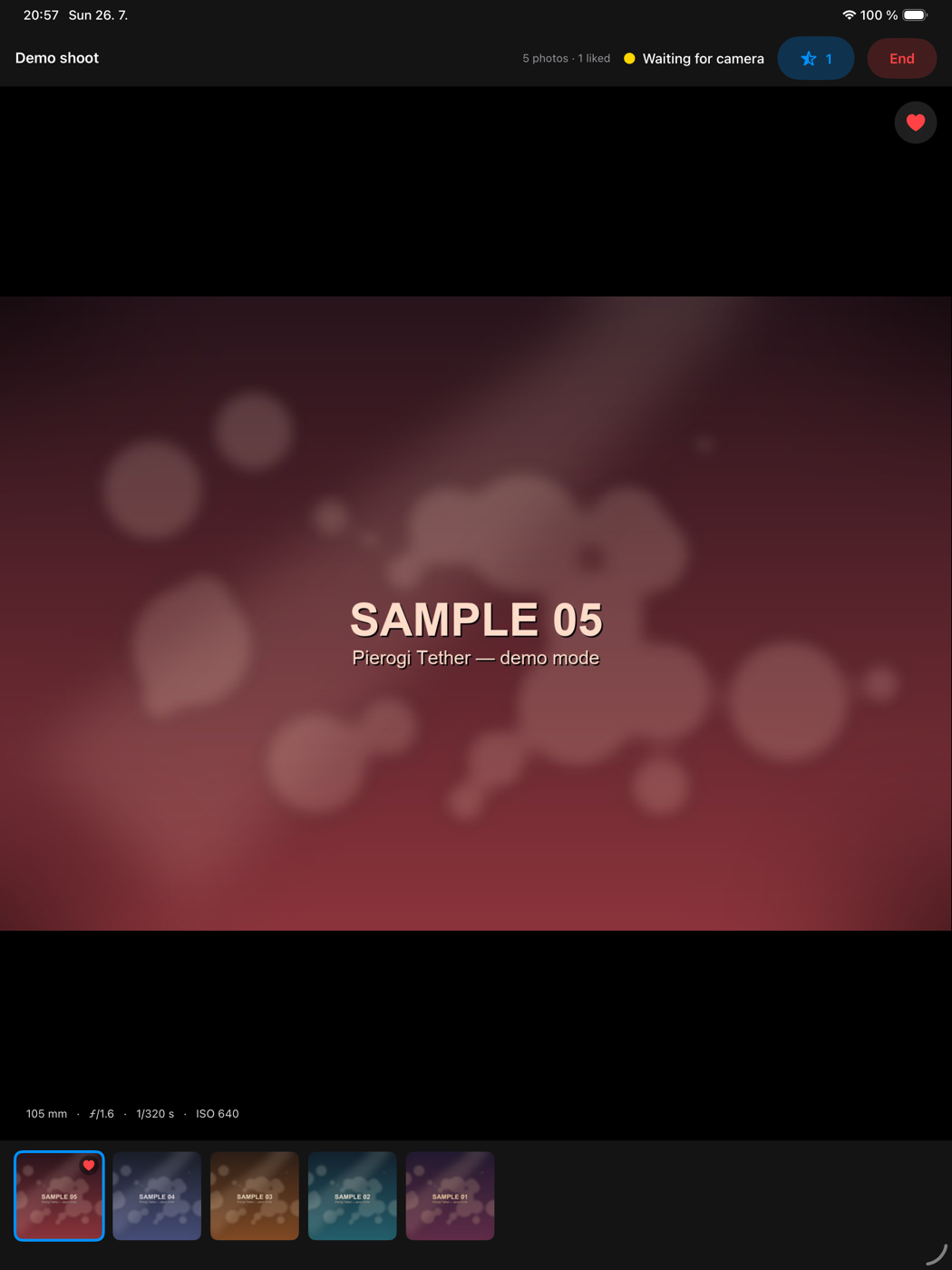
Each shot appears within a second or two of the shutter. The person in front of the camera sees it immediately — no card swapping, no laptop.
No cable, no computer
The iPad runs a small FTP server. Your camera sends photos straight to it over Wi-Fi. Nothing else is involved.
Like as you go
Tap the heart on the shots that work. Picking favourites happens during the shoot, not three hours later at the desk.
Ratings into Lightroom
Export your liked shots as XMP sidecars. Drop them next to your RAW files and those photos import already rated 5 stars.
Full-screen and zoom
Tap any photo for full screen, swipe between shots, pinch to check focus. Focal length, aperture, shutter and ISO stay on screen.
Galleries per shoot
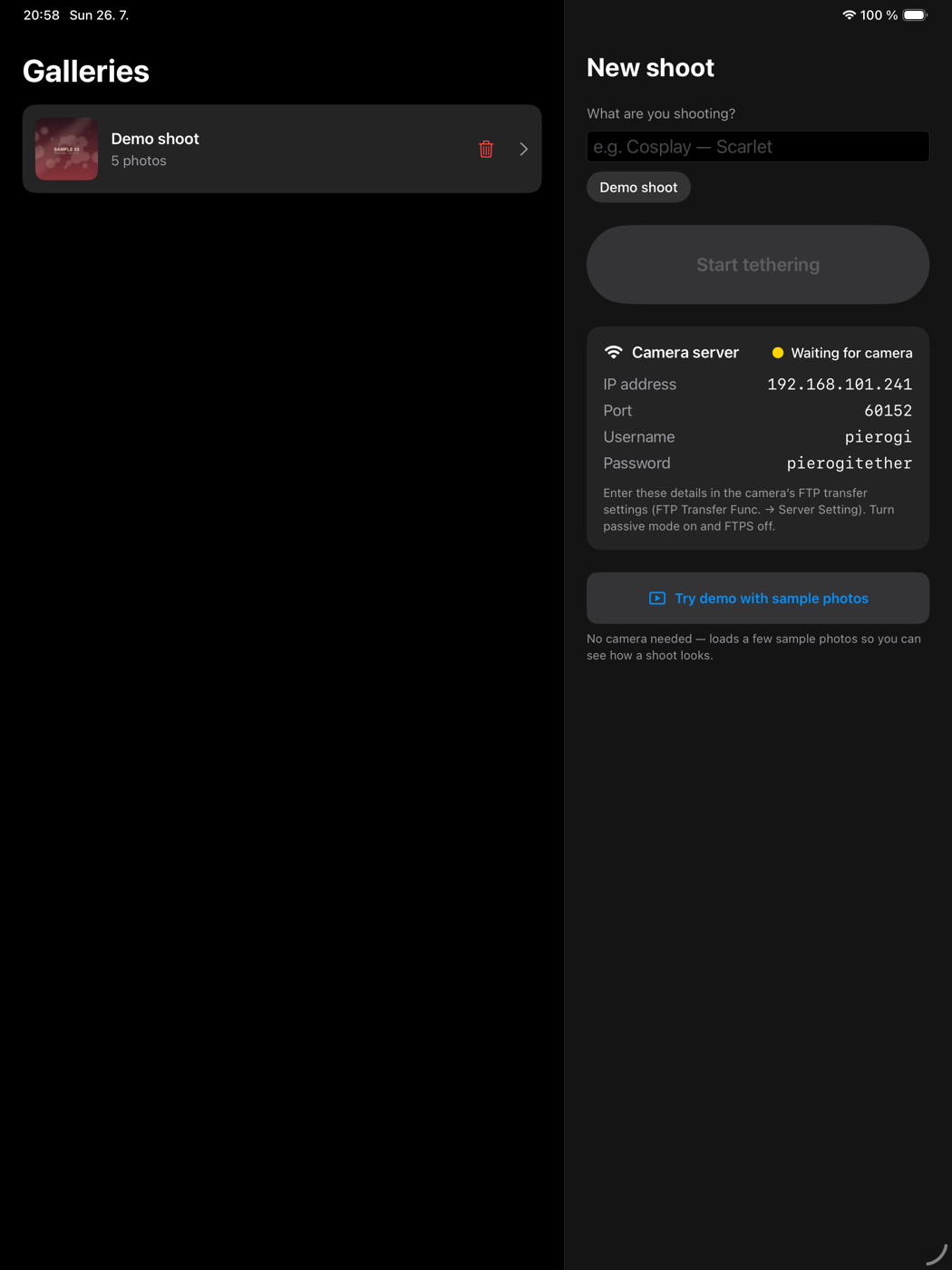
Name what you are shooting and everything lands in its own gallery. Come back to any earlier shoot later.
What it looks like
What you need
| iPad | iPadOS 17 or later. iPad only — this is a big-screen tool. |
|---|---|
| Camera | Any camera with a built-in FTP client and automatic transfer after each shot. Most current full-frame bodies have it. |
| Network | A Wi-Fi network that both the camera and the iPad join. See below — this part matters more than people expect. |
The network part, honestly
This is the one thing that decides whether tethering works, so it is worth being blunt about it.
A phone hotspot will not work. Since iOS 18 an iPhone hotspot blocks traffic between two connected devices, so the camera cannot reach the iPad at all. The camera's own “make my own network” mode does not work either — FTP needs an infrastructure network.
You need a real access point that lets its clients talk to each other. At home your router already does this. In the field, a pocket travel router on a power bank is the standard answer.
The one used to develop this app is the Cudy AX3000 (TR3000) — around 1 600 CZK, 160 g, USB-C powered, and it happily runs all day off an ordinary power bank. Any travel router with client-to-client traffic enabled will do; the camera's own radio is the bottleneck, not the router.
Getting started
- Join the camera and the iPad to the same Wi-Fi network.
- Open the app, name your shoot, tap Start tethering.
- Copy the IP address, port, username and password into the camera's FTP settings. Passive mode on, FTPS off.
- Turn on automatic transfer after shooting. Shooting RAW+JPEG? Send the JPEG only — the RAW stays on the card and transfers stay quick.
No camera at hand? The app has a demo mode that loads sample photos through the same pipeline, so you can see exactly how a shoot looks.
Privacy
The app collects nothing. No accounts, no analytics, no advertising, no third-party code. Photos are written to the app's own storage on your iPad and never leave your local network. Full detail in the privacy policy.